
Engaging Training Video Ideas: 25 Formats That Help People Learn
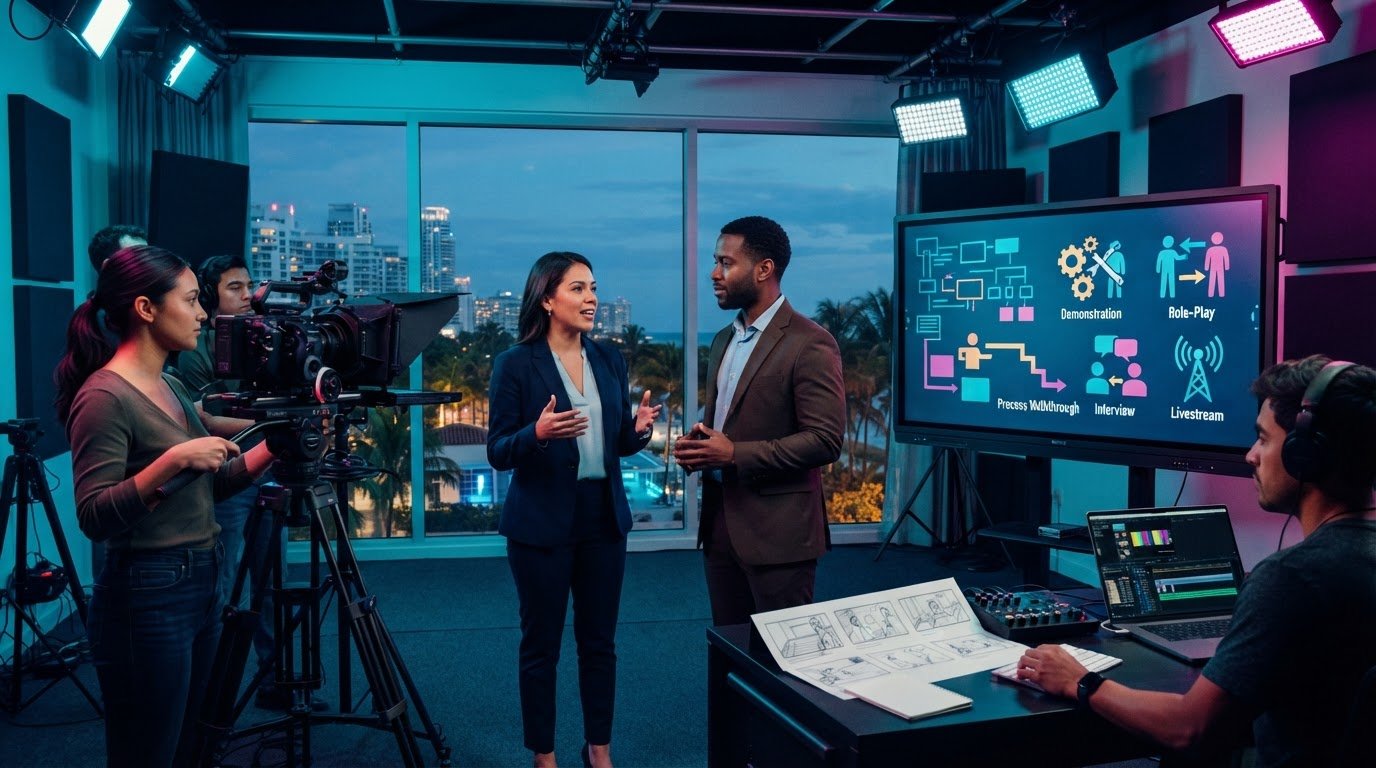
An employee can watch a polished training video from start to finish and still hesitate when it’s time to perform the task. The missing piece may not be more information. It may be a format that reflects the decisions, tools, and situations they’ll face at work. The best engaging training video ideas start with the job employees need to do.
If your current videos feel generic, are hard to finish, or make complex procedures difficult to follow, you’re not alone. A single talking-head format won’t suit every learning goal or audience. The right approach can make instructions clearer, more memorable, and easier to apply on the job.
This guide explores 25 practical training video formats and explains when each one works best, from demonstrating a process to practicing a difficult conversation. You’ll see how to match a format to your learners and workplace situation, then choose a useful next step for planning your content. The guiding principle is simple: the closer a video mirrors the task, the more relevant its lessons can be.
Key Takeaways
- Use engaging training video ideas such as onboarding welcomes and process walkthroughs to address specific moments in an employee’s workday.
- Choose demonstrations to show a task, and scenario-based or role-play videos when learners need to practice making decisions.
- Prioritize concepts by learner impact, how often the skill is needed, and how clearly video can explain it.
- Shape the outline, presenter, visuals, and editing around one defined learning objective.
- Explore 25 formats to identify a practical concept for your team and plan the next steps for developing it.
Engaging training video ideas start with a real learning goal
An engaging training video is relevant to its audience, focused on a specific learning task, and designed to help employees use what they learn. Strong visuals can hold attention, but attention alone doesn’t ensure that someone understands a procedure, remembers it later, or can apply it on the job. The learning goal should shape the content, not be added after the creative concept is chosen.
This is where Instructional design offers a useful foundation: it starts with the learners and the outcomes they need to reach, then informs how the learning experience is built. That distinction matters because different workplace needs call for different kinds of instruction:
- Inform employees: Share essential context, such as what’s changing and where to find a resource.
- Teach a process: Show the steps, tools, and decisions involved in completing a task.
- Support behavior change: Help employees recognize a situation and practice choosing an effective response.
For example, if new support staff struggle to record customer issues consistently, a broad company overview won’t solve the problem. A concise screen demonstration could show how to complete a sample record, explain what details to include, and point out a common omission. The concept responds to an identifiable challenge and gives viewers a model they can apply.
What makes a training video engaging and useful?
Start with a familiar job task, decision, or question employees actually face. Give each video one primary learning objective, such as identifying the correct form or explaining a process to a colleague. Use plain language and visuals that clarify the work, rather than decorate it. A purposeful opening establishes why the lesson matters; a focused ending reinforces the action or takeaway viewers should remember.
That focus also makes it easier to judge whether the video works. Ask whether an employee can explain or perform the intended task after watching. If the answer is unclear, the script may be trying to cover too much or using examples that don’t reflect the audience’s work.
Start with the outcome, not the production gimmick
Before deciding on animation, a presenter, or a screen recording, define what employees should know, decide, or do afterward. Consider what they already understand and where confusion tends to arise. A team learning a new workflow may need a step-by-step demonstration; employees handling sensitive conversations may benefit more from seeing choices and consequences.
Engaging training video ideas connect relevant workplace challenges to focused lessons employees can use in real tasks. With that outcome clear, creative choices can strengthen the teaching instead of distracting from it.
Engaging training video ideas for onboarding, skills, and everyday tasks
The strongest engaging training video ideas respond to a particular employee need: learning the organization, completing a task, or handling a decision with confidence. Rather than turning every topic into a standalone video, arrange related lessons as a learning path. A new hire, for example, might start with an orientation, move to role-specific guidance, then revisit short task demonstrations as needed.
Research can help inform design choices. A systematic review of instructional video design examined 113 research papers, offering a broad evidence base for thinking about how video can support learning. Use that kind of guidance alongside a practical question: what does this employee need to understand or do next?
Video ideas for onboarding and company knowledge
Build a welcoming introduction to the organization, then add focused videos that help employees find their place and understand how work gets done. Employee interviews can put team norms and communication practices in familiar voices, while role-based walkthroughs can show the systems and procedures a new colleague will use.
- Onboarding welcome: Introduce the organization, its purpose, and what new employees can expect as they begin.
- First-week role guidance: Walk through key tools, recurring responsibilities, and who to approach with common questions.
- Company process walkthrough: Show how a shared workflow moves from one step or team to the next, clarifying handoffs.
Video ideas for practical skills and repeatable tasks
For hands-on work, show the task from setup through completion. Include the reasoning behind critical steps, a common mistake, and how to correct it. A software screen demonstration can isolate one workflow, while an experienced employee can explain how to prepare, use, and check equipment. Short safety refreshers can revisit a specific practice employees need to remember.
- Expert explainer: Ask a knowledgeable colleague to clarify a complex concept or frequent point of confusion.
- Customer-service example: Show how an employee might respond to a realistic customer question, including language that keeps the exchange clear and professional.
- Manager-led coaching scenario: Model a feedback conversation or a coaching moment, then highlight the choices that support a constructive discussion.
Connect related videos with a clear sequence: introduce the task, demonstrate it, then use a scenario or coaching example to reinforce judgment. This gives employees a route through the material without making one video carry every detail. If you’re shaping a cohesive training series, explore professional training and education video production as one way to support consistent planning and execution.
Scenario-based and interactive training video ideas that prompt decisions
A demonstration is useful when employees need to see a clear, repeatable process. But if the learning goal involves judgment, a step-by-step example may show what to do without preparing viewers to choose under pressure. Scenario-based engaging training video ideas put employees inside a realistic moment and make the decision itself part of the lesson.
For example, a safety refresher could pause when an employee notices that a work area doesn’t match the expected setup. The video can ask what the employee should do next, then explain how the organization’s established procedure guides the response. This is an illustrative learning scenario, not a substitute for workplace-specific instructions. The aim is to help viewers recognize a decision point and understand the reasoning behind the correct action.
How can branching scenarios make training more engaging?
Set up a recognizable situation, then pause before a consequential choice. Offer a small number of plausible responses and show what follows from each one. Explain why a response is appropriate or where it falls short, tying the feedback directly to the learning objective. Keep the branches manageable: too many paths can obscure the core lesson and make the experience harder to follow.
Use branching when employees need to weigh options, not just memorize steps. A demonstration might show the approved procedure from beginning to end; a branching version can reveal whether learners recognize when to apply it, seek guidance, or stop and clarify a concern. Keep scenarios grounded in the team’s real working context, and have subject-matter experts confirm that the choices and feedback are accurate.
When should you use role-play, quizzes, or expert interviews?
Choose the format based on what learners need to practice. Each can build a different kind of participation:
- Role-play: Model communication, service, or leadership behaviors. Show the exchange from both perspectives so viewers can notice how tone, listening, and response shape the interaction.
- Knowledge checks: Ask learners to recall or apply an important idea before revealing an explanation. A question can also prompt them to identify the next step in a process.
- Expert interviews: Explore judgment calls that a checklist can’t fully explain. Ask an experienced colleague to describe what they consider, which details change their decision, and when they consult established guidance.
Interactive features depend on the platform. If it can’t support branching or embedded questions, build pauses into the video: pose a prompt on screen, invite viewers to choose or write down an answer, then continue with the reasoning. A facilitator can also discuss the scenario after viewing. This keeps the learning active without letting technology dictate the teaching approach.
How to choose and plan an engaging training video concept
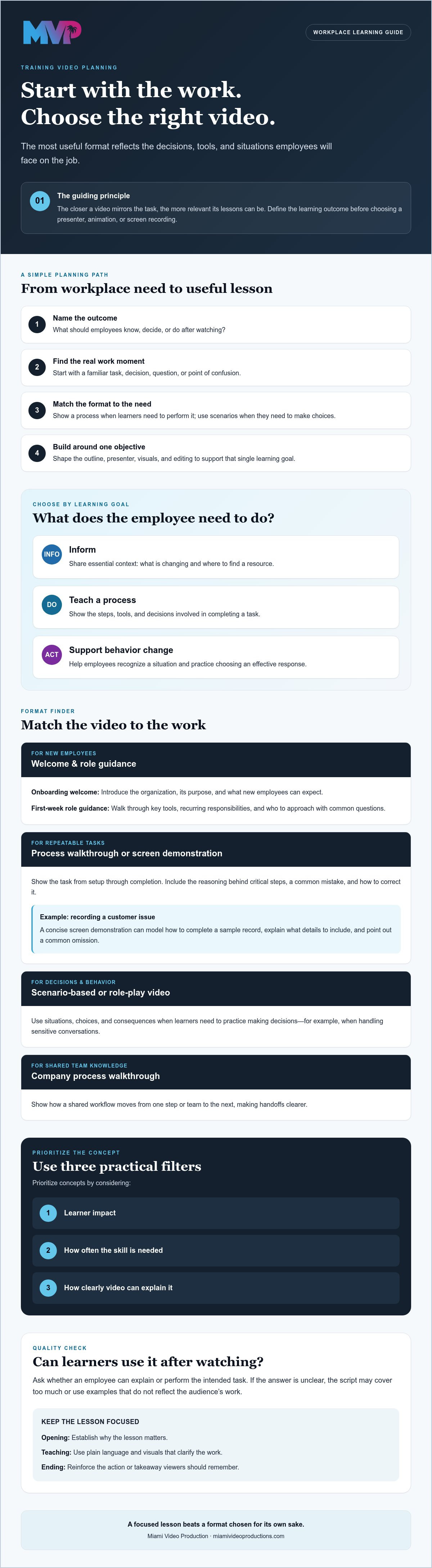
A useful concept begins with a work need, not a camera style or visual effect. To decide which engaging training video ideas deserve attention first, compare their likely impact on learners, how often the skill is needed, and whether video can explain it clearly. A frequently repeated task with a common point of confusion may be a stronger priority than a rare topic that’s already easy to understand.
If a subject contains several distinct tasks, plan a sequence of short, focused segments instead of squeezing everything into one video. Employees can find the lesson they need more easily, and each segment can have a clear objective and takeaway.
A four-step method for turning a training need into a video idea
- Identify the performance need. Name the job task, knowledge gap, or recurring mistake to address. Be specific about the audience and what they find difficult.
- Define the outcome. State what viewers should know, decide, or do after watching. This gives the concept a practical measure of success.
- Choose the format and outline. Select a demonstration, explainer, or practice scenario that serves the outcome. Map the essential moments, examples, visuals, and final learner takeaway before scripting.
- Review and refine. Ask a subject-matter expert to confirm accuracy and check the video for clarity, accessibility, and relevance to employees’ actual work.
Build accessibility into the plan. Include accurate captions, ensure important information isn’t communicated through visuals alone, and consider whether the content is easy to follow for employees using different devices or viewing conditions. Confirm that you have permission to show any people, workplace materials, or screens included in the video, and avoid exposing confidential information.
How to assess whether the concept worked
Views and completion can indicate whether employees reached the end, but they don’t prove that learning occurred or job performance improved. Pair viewing or feedback data with a relevant knowledge check or observation of the task, where appropriate. Then ask learners which step remains unclear. Their answers can point to a confusing explanation, a missing visual, or a need for a separate lesson.
Use what you learn to revise the script, examples, or edit, then review the updated content with the subject-matter expert. This creates a practical feedback loop: identify the need, design for it, and improve the lesson based on evidence from learners.
If you’re ready to turn a defined training objective into a well-planned video, explore professional training video production.
Bring engaging training video ideas to life with a clear production plan
A strong training concept needs more than a good idea. Planning, scripting, filming, and editing should each support the learning objective, so every scene and visual helps employees understand what to do. For a consistent series, a shared visual language can make lessons feel connected, while presenters who understand the work can make the instruction credible to its intended audience.
What should a training video production brief include?
A concise brief gives the production team and subject-matter experts a shared reference point. Record:
- The intended audience, learning objective, workplace context, and viewing environment.
- The subject-matter experts, essential demonstrations or visuals, accessibility needs, and review stakeholders.
- How the video will be shared and where employees can return to it when they need a refresher.
These decisions guide the script and production choices. For example, a lesson employees will revisit while completing a task may need clear visual steps and a structure that makes the relevant moment easy to find. For a deeper look at planning and production considerations, see this instructional video production company guide.
When is professional production a useful next step?
Production support can be helpful when a training program needs consistent storytelling across multiple videos, or when a complex procedure is difficult to communicate clearly on screen. Pre-production aligns the script and visuals with the objective; filming captures the demonstrations and explanations; editing shapes them into a focused lesson. Each stage serves the instruction, not just the finish.
Plan beyond the first release, too. Decide how you’ll gather learner feedback, assess whether the content is still clear, and determine when revisions may be needed. Video growth strategy consulting can help readers explore measurement and a sustainable approach to video content.
With the audience, objective, and production requirements defined, engaging training video ideas can become a coherent learning resource rather than a collection of disconnected clips. To discuss training and education video production for your project, talk with Miami Video Production.
Turn your next training need into a clear plan
The most effective engaging training video ideas begin with what employees need to do, not with a format chosen for its novelty. Match the video to the learning goal: explain essential knowledge, demonstrate a repeatable task, or help learners consider how to respond in a realistic situation.
Then give the concept a practical foundation. Define the audience and intended outcome, choose the visuals and presenter that fit the work, and plan how the content will be reviewed and shared. A clear production process can carry that purpose from planning and filming through post-production editing, while learner feedback can help identify what needs refinement.
Miami Video Production creates training and education videos for organizations across South Florida. If your team is ready to shape a workplace learning need into a considered video project, discuss a training video project with Miami Video Production.
Start with one task employees need to master. A focused first video can be the beginning of a more useful, connected learning experience for your team.
Frequently Asked Questions
What makes a training video engaging?
A training video is engaging when it holds attention and helps viewers understand or apply a useful lesson. Connect the content to a real work situation, use clear language, and guide viewers toward one defined takeaway. Relevant examples and purposeful visuals help make the lesson easier to follow. Avoid adding effects or extra information that distracts from what employees need to learn or do.
What are some good training video ideas for employees?
Useful options include a new-hire orientation, a role-specific guide to workplace systems, a software tutorial, an equipment demonstration, or a short refresher on a key procedure. For people-focused skills, consider a customer-service role-play or a manager coaching example. Choose based on the audience’s actual need: a new employee may need context, while an experienced worker may need help with a particular task or decision.
How long should an employee training video be?
Make a training video only as long as it needs to teach its objective clearly. If a topic covers several separate tasks, divide it into focused lessons so employees can find and revisit the relevant part. TechSmith reported in 2024 that 60% of viewers won’t watch a training video longer than 20 minutes. Treat that as a caution, not a universal ideal duration, and prioritize clarity over an arbitrary runtime.
How do you make a training video interactive?
Invite viewers to make a choice, retrieve information, or consider what they’d do before revealing the explanation. If your video platform supports it, use knowledge checks or branching choices. Without those features, pause the video at a decision point, display a question, and then continue with feedback. Keep each interaction tied to the learning objective, so participation strengthens the lesson rather than interrupting its flow.
What training videos should companies make first?
Start with a task or knowledge gap that affects employees regularly and is difficult to explain consistently. Consider whether a video can make the instruction clearer, such as showing a recurring workflow or orienting new hires to essential systems. Ask employees and managers where questions or errors commonly arise, then prioritize by learner impact and frequency. The first video should address a concrete need, not simply a topic that seems easy to film.
How can you tell whether a training video is effective?
Combine viewing and learner feedback with a check that matches the lesson. A short knowledge question can test understanding; a task observation can show whether an employee can apply the instruction, when that’s appropriate. Ask which part remains confusing and use the response to guide revisions. Views and completion indicate exposure, but on their own they don’t demonstrate learning or improved workplace performance.
Should training videos use animation or live-action footage?
Choose the approach that makes the subject easiest to understand. Live-action can show real people, equipment, or workplace interactions; animation can clarify abstract ideas or processes that are difficult to film. A software task may be clearest as a screen demonstration. The format should suit the learning goal, audience, and content. For organizations in Miami, Broward, West Palm Beach, Fort Lauderdale, North Miami, Fort Myers, or Naples, Miami Video Production creates training and education videos.
