
Video for Internal Comms: A 2026 Strategy
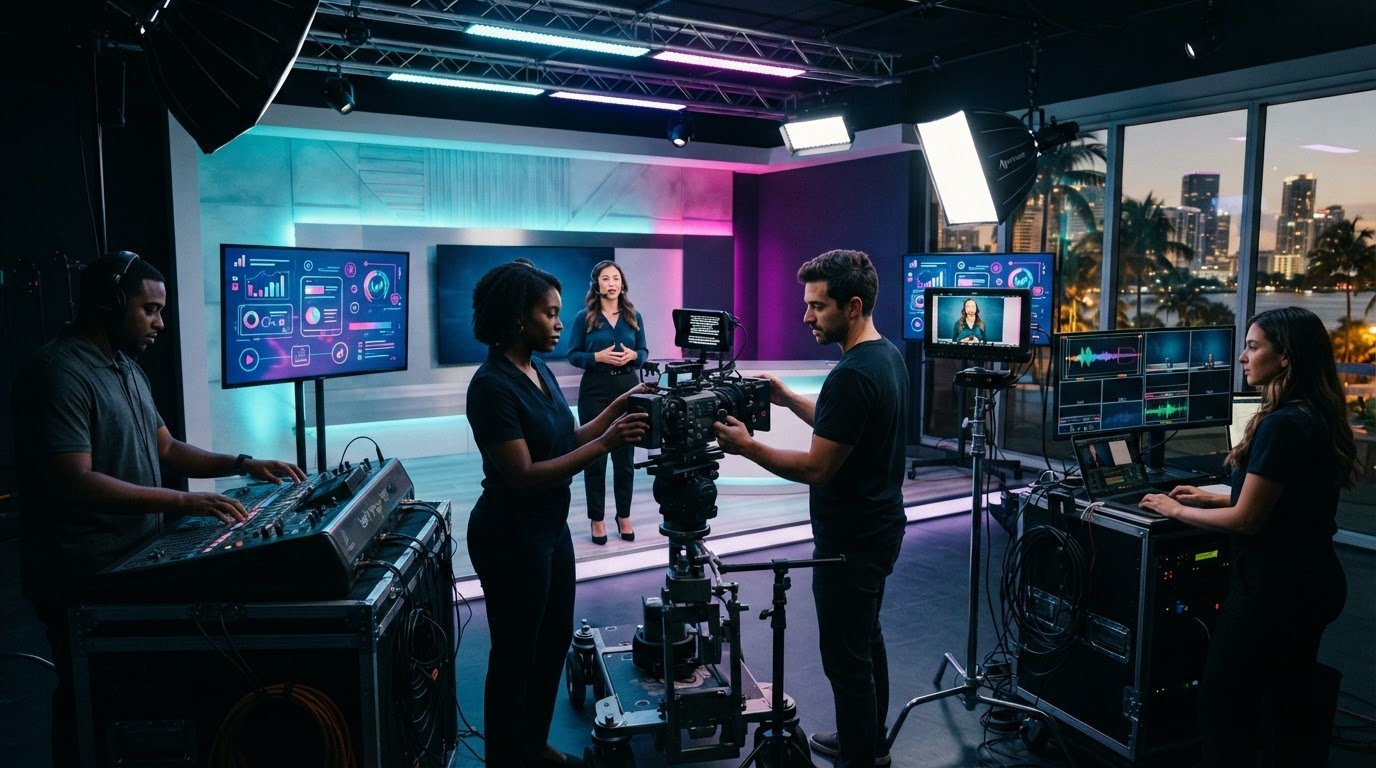
What if the problem isn’t that employees need more updates, but that each message lacks a clear audience, a specific action, and a reliable way to access it? Video content for internal communications can make important information easier to understand, but only when it’s planned around what employees need to know and do next.
When updates get overlooked or interpreted differently across offices, shifts, and remote teams, producing more videos won’t solve the underlying challenge. A thoughtful approach connects each video to a communication need, then makes it practical to produce, share, and evaluate.
This guide explains how to choose formats for leadership updates, employee learning, and company-wide announcements; build a repeatable production and distribution process; and measure reach, understanding, and follow-through. You’ll come away with a clearer strategy for creating useful internal videos and assessing whether they’re helping employees take the next step.
Key Takeaways
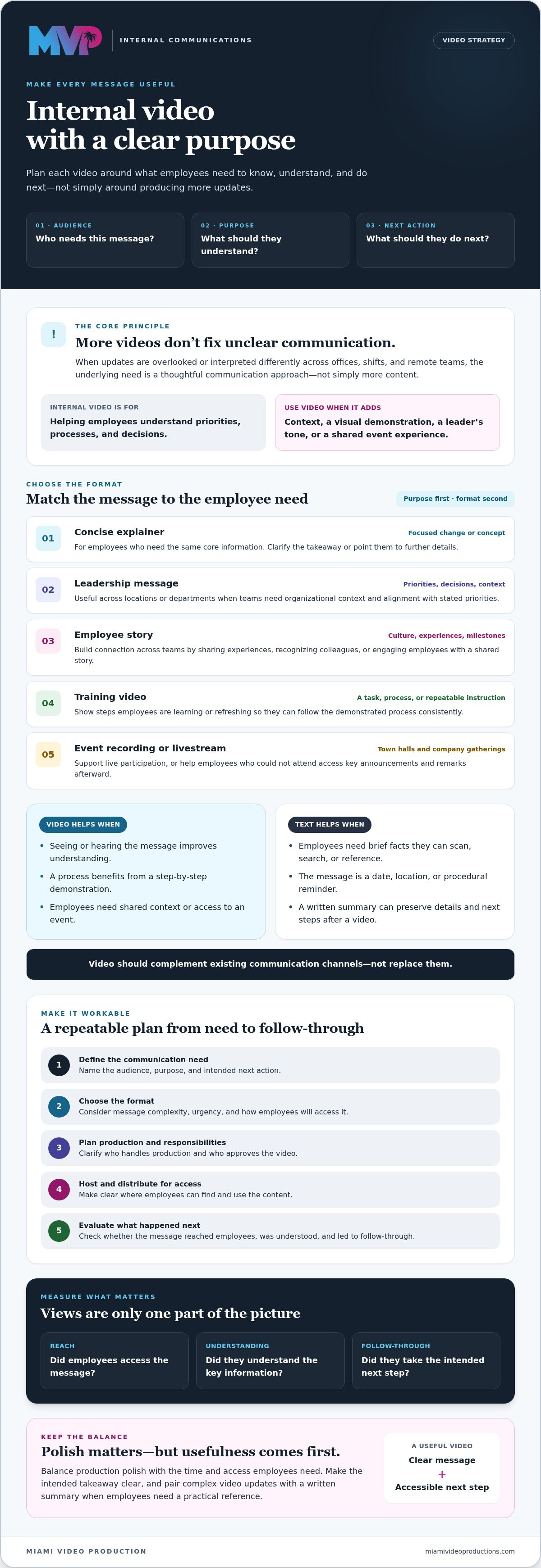
- Give every internal video a defined audience, purpose, and next action so employees know what matters and what to do.
- Match the format to the message, from leadership updates and employee stories to explainers and training videos.
- Balance production polish with the time and access employees need to watch and use video content for internal communications.
- Build a repeatable workflow that clarifies who handles production and who approves, hosts, and distributes each video.
- Measure more than views: consider whether employees understood the message and followed through on the intended action.
Why Video Content for Internal Communications Needs a Clear Purpose
Internal communications video is created to inform, guide, or connect employees. Its purpose differs from external brand marketing. Rather than attracting customers or building a public profile, it helps people inside an organization understand priorities, processes, and decisions. Internal messages are one part of the broader field of Corporate communication, which encompasses how organizations manage communication with internal and external audiences.
Effective internal video gives a defined audience the context they need, serves a clear purpose, and points them toward a specific action. That action might be understanding a change, completing a task, or finding more information. Video is most useful when it adds something a written update may not convey as readily, such as a leader’s tone and presence, a visual demonstration, or a shared sense of an event. Don’t produce a video simply because it seems more engaging. Start by identifying what employees need to understand or do, then decide whether video is the right format.
Which internal messages benefit most from video?
Use video when seeing or hearing the message can improve understanding. A leadership update can explain the context behind new priorities and give employees a consistent organizational voice. A demonstration or explainer can show a process step by step, helping employees see how a task should be performed. Recording a company gathering can also help staff who couldn’t attend access key announcements and remarks. In each case, make the intended takeaway clear.
When is a written update the better choice?
Choose text for brief facts employees need to scan, search, or reference quickly, such as a date, location, or procedural reminder. If a video explains a complex update, pair it with a written summary that captures key details and next steps. This gives employees a practical reference after watching. Video should complement existing communication channels, not replace them. The right mix depends on the message and how employees need to use the information.
Choose the Right Internal Video Format for Each Employee Need
The strongest format depends on what employees need to understand or do, not on a preference for polished production or quick updates. Consider the message’s complexity, urgency, and how employees will access it. A process that needs to be demonstrated calls for a different approach than a time-sensitive leadership announcement or an ongoing story about team culture.
Use this framework to match video content for internal communications to its purpose. Start by identifying the intended audience and next action, then choose the format that makes that action easiest to understand.
| Format | Suitable message | Audience | Intended next action |
|---|---|---|---|
| Concise explainer | A focused change, announcement, or concept | Employees who need the same core information | Understand the takeaway or find further details |
| Leadership message | Organizational priorities, decisions, or context | Teams across locations or departments | Align work with stated priorities |
| Employee story | Team experiences, culture, or shared milestones | Employees building connection across teams | Recognize colleagues or engage with the story |
| Training video | A task, process, or repeatable instruction | Employees learning or refreshing a skill | Follow the demonstrated steps |
| Event recording or livestream | Town halls, company gatherings, or timely announcements | Live participants or staff unable to attend | Participate live or review key moments afterward |
Recorded updates, explainers, and training videos
Keep a short update focused on one message and one clear takeaway. Use an explainer when employees need added context to understand why a change matters. For a task, showing the steps can be more useful than describing them in a memo. Organizations planning structured learning can explore this instructional video production guide for further direction. Training and education videos can support repeatable employee learning, especially when instructions need to be presented consistently.
Livestreams and video series for employee connection
A live town hall can work well when employees need timely information and a chance to participate in the same event. If attendance varies, a recording or highlights can extend access afterward. For high-stakes live events, review this broadcast-quality livestreaming guide. A recurring video series may suit updates employees expect on a predictable cadence, while employee stories can bring a more personal perspective to shared priorities.
Before choosing a format, check whether employees can access it when they need it and whether the message can wait for a recording. If your team is shaping a broader plan, video strategy consulting may help align formats with communication goals.
Address Internal Video Concerns: Time, Access, and Employee Attention
Video takes planning and production time, and even a well-made message has little value if employees can’t access it or don’t see a reason to watch. The answer isn’t to make every update a polished production or treat every message as a quick recording. Match the effort to the stakes. A routine reminder may need a simple format, while a major change or company-wide announcement may call for more preparation and a coordinated release.
Employees are more likely to use a video when they can access it easily and recognize why its message matters to them. Make those conditions part of the plan, not afterthoughts. Before recording video content for internal communications, agree on the audience, key messages, and next step. Decide where the video will live and how employees will reach it, particularly across locations, shifts, or remote work arrangements.
How can teams make videos easier to watch and revisit?
Keep each video focused on a defined audience and a small number of key messages. Give it a clear title, a concise written description, and a next step so employees can quickly judge its relevance and know what to do afterward. Captions can help employees follow spoken content in different viewing situations. A transcript or summary can make details easier to search and revisit. Confirm which accessibility materials are needed and who will prepare them, rather than assuming they’re included in production.
Before publishing, test access from the perspective of the intended employees. Check whether the hosting location works for the relevant teams and whether permissions or device restrictions could block a viewer. A link that works for the communications team may not work for every employee.
How can organizations avoid a stream of forgettable updates?
Publish on a cadence that serves communication needs, not simply to maintain a steady flow of content. Coordinate video with existing email, meetings, intranet updates, or learning workflows so employees know where to find the message and how it fits with other information. For example, a video can provide context for a change while a written note records dates, responsibilities, or reference details.
Then listen. Invite questions and feedback through an appropriate internal channel, and look for repeated confusion or requests for information. If employees need a quick reference, another video may not be the answer. A searchable written guide or a clearer update could serve them better. Relevance and access should shape both what you produce and how often you share it.
Build a Repeatable Workflow for Planning and Measuring Internal Videos
A reliable process makes internal video easier to plan, produce, and assess. It also prevents a common handoff problem: the production team may create the video, but communication leaders still need to decide who approves it, where it will be hosted, and how employees will receive it. Define those responsibilities before work begins.
Plan each video around a communication objective
Use a consistent workflow for video content for internal communications, while adapting the format and review process to the message:
- Define the audience and information gap. Specify which employees need the message and what they need to understand.
- Set the objective and next action. Decide whether employees should learn a process, understand a decision, or take a particular step.
- Choose the format and content. Select a speaker, format, and key points that fit the message. Keep the intended outcome in view while planning the script or outline.
- Assign responsibilities. Clarify who coordinates production and review, who gives final approval, and who owns hosting and employee distribution. These responsibilities may sit with different teams.
- Set a realistic schedule. Agree on review steps and a publishing date that accounts for stakeholder input and the urgency of the message.
- Publish and evaluate. Share the video through the agreed channel, then review relevant viewing and response signals against the original objective.
For a broader planning framework, explore this video growth strategy roadmap. A defined strategy can help connect video decisions to organizational goals rather than treating every production as a one-off.
Measure whether employees received and understood the message
Start with reach: were the intended employees able to access the video, and did they view it? Completion data can add context, but neither views nor watch time proves that a message was understood. Pair viewing signals with employee questions, feedback, or a relevant follow-up action. For training, teams might check whether employees can carry out the demonstrated process. For an announcement, they might look for completion of the stated next step.
Views indicate exposure; follow-through helps assess whether a video was useful. Interpret results in context, and use signs of confusion or limited response to refine the message, format, or distribution plan. To align your organization’s video approach with its goals, explore video growth strategy consulting.
When to Partner With a Professional Internal Video Production Team
Internal teams may have a clear message but limited capacity to plan, film, or edit it to the standard a high-stakes announcement requires. A production partner can also help when a process needs consistent visual instruction or a company-wide event calls for live production. The goal isn’t to outsource every update. It’s to bring in the right expertise when a project’s complexity, importance, or repeat use calls for more support.
Training and education videos are a practical example. If employees need to learn the same process across roles or locations, clear, well-structured instruction can support a consistent learning experience. A recurring content series may suit ongoing employee updates, while a live format can help connect participants during a town hall or company event. Choose based on communication objectives, not production style.
What to clarify before engaging a production partner
Before discussing production, outline the intended audience, communication challenge, desired employee action, and where the video is expected to be shared. Ask which planning, filming, editing, review, and delivery responsibilities are included, and which remain with your team. Confirm accessibility requirements, usage needs, and compatibility with your organization’s chosen platform before agreeing on deliverables. These details help set realistic expectations without assuming the production partner manages internal hosting or distribution.
Choose a partner for strategy as well as production
A strong partner asks about business goals and employee needs before recommending a format. Discuss relevant experience in training and education videos, content series, or live events, and ask how the proposed approach supports the message. Miami Video Production offers these video services, along with video strategy consulting and event livestreaming. For teams developing video content for internal communications, these capabilities may be relevant when professional production or strategic planning is needed.
Bring a clear project scope to the first discussion: who needs the message, what they need to understand, and what should happen next. Then consider a production approach that fits. Learn about internal video production with Miami Video Production.
Turn Internal Video Into a Clear Next Step
Strong video content for internal communications starts with a simple discipline: decide who needs the message, what they should take from it, and what action follows. Choose a format that fits the communication need, make access straightforward, and evaluate more than views by listening for understanding and follow-through.
You don’t need to transform every update into a production. Begin with one recurring learning need, important announcement, or employee event, then shape a practical approach around its audience and purpose. Miami Video Production offers training and education video production, video strategy consulting to align planning with organizational goals, and broadcast-quality event livestreams in South Florida.
Whether you’re refining an existing approach or planning your first internal video, start by clarifying the right format and production scope. Discuss your internal video goals with Miami Video Production.
Frequently Asked Questions
What is video content for internal communications?
Video content for internal communications is video made to inform, guide, or connect people within an organization. It can explain a policy change, demonstrate a work process, share a leadership message, or record a company event for employees who couldn’t attend. Unlike external marketing, its primary purpose is to help employees understand relevant information and know what to do next, rather than attract customers or promote a product to the public.
Is video effective for communicating with employees?
Video can be effective when the message benefits from a speaker’s tone, visual context, or a demonstration. A leader can explain the reasoning behind a decision, for example, while a trainer can show the sequence of steps in a task. Effectiveness depends on relevance, access, and clarity, so consider whether employees can view the video and identify its key takeaway. Pairing it with written details can make information easier to revisit.
What types of videos work best for internal communications?
The best format depends on the message and the employee’s next step. Use a leadership message to provide context about priorities, an explainer for a focused update, or a training video to show a repeatable process. Employee stories can share workplace perspectives, while a recorded event can extend access beyond attendees. Choose a livestream when real-time participation matters, such as during a town hall where employees can ask questions.
How long should an internal communications video be?
There’s no single ideal length for every internal video. Keep a brief announcement focused on its essential takeaway, and give a training video enough time to demonstrate each necessary step without unrelated material. If the subject requires more depth, organize it into clear sections so employees can find the part they need. A written summary can also help viewers scan key details and return to them later.
How can we measure whether employees watched and understood a video?
Use viewing data, such as reach or completion, to assess whether employees accessed the video, but don’t treat views as proof of understanding. Add a relevant check: invite questions, request feedback, ask employees to identify the key takeaway, or track whether they complete the intended next step. Interpret these signals together. If viewers finish the video but still ask the same questions, the message may need clarification or a better supporting reference.
Should internal communication videos include captions or transcripts?
Captions and transcripts can make video information easier to follow and revisit. Captions display spoken words during playback, while a transcript provides a text version employees can scan or search. Consider the viewing context, audience needs, and level of detail when deciding what to provide. Confirm who is responsible for preparing and reviewing these materials, and check that captions accurately reflect the spoken content before sharing.
Can a professional video production company create employee training videos?
Yes. A professional video production company can help create training videos that demonstrate processes or present instruction consistently. Miami Video Production offers training and education video production and video strategy consulting. It also produces broadcast-quality event livestreams for clients in South Florida, including Miami, Broward, West Palm Beach, Fort Lauderdale, North Miami, Fort Myers, and Naples. Clarify the learning objective, intended audience, review process, and delivery needs before defining a project’s scope.
